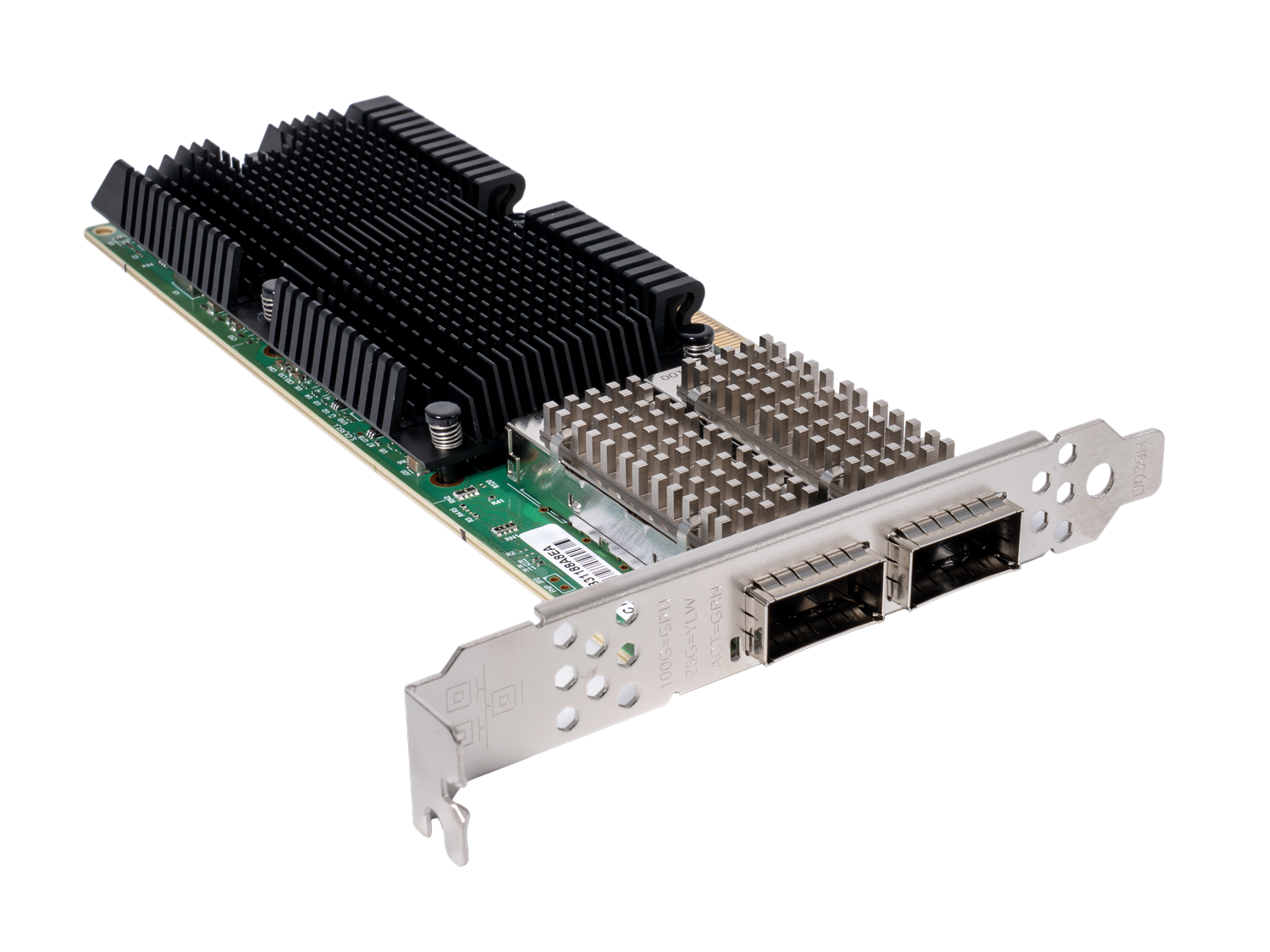
Basler 100GigE Interface Card, 2-CH, QSFP28#
Info
The GVRSP streaming mode in GigE Vision 3.0 (GEV 3.0) requires RDMA (Remote Direct Memory Access) support.
On Windows, the interface card is recognized by the default driver as a standard network adapter without RDMA-capability. To enable the RDMA-capability of the Basler 100GigE Interface Card, 2-CH, QSFP28, make sure to install the WinOF-2 Driver from the WinOF-2 driver package.
On Linux, the interface card is usually natively supported by the Linux kernel (for example via the mlx5 driver).
To enable the RDMA-capability of the Basler 100GigE Interface Card, 2-CH, QSFP28, verify that the RDMA Verbs library (libibverbs.so) and the RDMA Connection Manager library (librdmacm.so) are installed. If they are not available on your system, install them.
Info
The interface card is compatible with the following transceiver module:
Module QSFP28 100G SR4 MPO 100m (order number: 2200002797)
Insert the transceiver module into a QSFP28 port on the interface card. Connect the MPO connector of the transceiver module to a suitable fiber optic cable, for example a Basler Cable Optical, MPO, 8x PC/F.
To operate the interface card at 1 Gbps, 10 Gbps, or 25 Gbps, you need a QSFP28-to-SFP28 converter and a corresponding SFP, SFP+, or SFP28 module. The converter is not included with the interface card.
Key Features#
- Validated for GigE Vision
- Dual QSFP28 ports with 40 Gbps, 50 Gbps, and 100 Gbps link speeds
(1 Gbps, 10 Gbps, and 25 Gbps via a QSFP28-to-SFP28 converter that is not included) - RDMA (Remote Direct Memory Access)
- SR-IOV (Single Root I/O Virtualization)
- IEEE 1588 Precision Time Protocol (PTP)
- PXE network boot support
- Use of Basler-assigned MAC address range for simplified identification
General Specifications#
| 100GigE Interface Card, 2-CH, QSFP28 | |
|---|---|
| Order Number | 2200003071 |
| Ethernet Controller | Mellanox ConnectX-5 Ex |
| Number of Ports | 2 |
| Port | QSFP28 |
| Data Rate | 40 Gbps / 50 Gbps / 100 Gbps per port 1 Gbps / 10 Gbps / 25 Gbps per port via a QSFP28-to-SFP28 converter (not included) |
| Additional Low-Profile Bracket | Yes |
| PCIe Version and Lane | 4.0 x16 |
| Supported Standards | IEEE 802.3cd (50, 100, and 200 Gigabit Ethernet) IEEE 802.3bj, 802.3bm (100 Gigabit Ethernet) IEEE 802.3by, Ethernet Technology Consortium (25 and 50 Gigabit Ethernet, all FEC modes) IEEE 802.3ba (40 Gigabit Ethernet) IEEE 802.3ae (10 Gigabit Ethernet) IEEE 802.3az (Energy Efficient Ethernet) IEEE 802.3ap (Auto-Negotiation and KR Startup) IEEE 802.3ad (Link Aggregation and Link Aggregation Control Protocol (LACP)) IEEE 802.1AX (Link Aggregation) IEEE 802.1Q, 802.1P (VLAN Tagging and Traffic Prioritization) IEEE 802.1Qau (QCN - Congestion Notification) IEEE 802.1Qaz (ETS - Enhanced Transmission Selection) IEEE 802.1Qbb (PFC - Priority-based Flow Control) IEEE 802.1Qbg (Edge Virtual Bridging) IEEE 1588v2 (Precision Time Protocol (PTP)) |
| Additional Functions | RDMA, SR-IOV, PXE, 1588 PTP |
| Supported Physical Layer Interfaces | QSFP28 40/50/100GbE (optics, AOCs, and DAC) 1/10/25GbE (SFP/SFP+/SFP28 optics, AOCs, and DAC) via a QSFP28-to-SFP28 converter (not included) |
| Conformity | CE, FCC, RoHS For more information, see the Compliance section of the Basler website. |
| Power Consumption | 12.948 W (min.), 24.3 W (max.) |
| Maximum Packet Size for Jumbo Frames | Up to 9.5 kB |
Jumbo Frames
If you want to use the maximum packet size for jumbo frames, set the network adapter to its maximum value as described in the Network Configuration (GigE Cameras) topic.
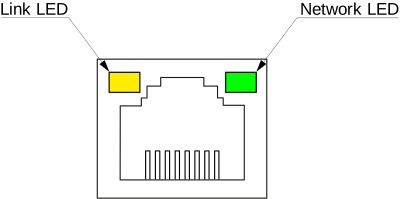
LED States#
| LED | State at 100 Gbps | State at 1 Gbps |
|---|---|---|
| Link LED | Static green | Static green |
| Activity LED | Flashing green | Flashing green |
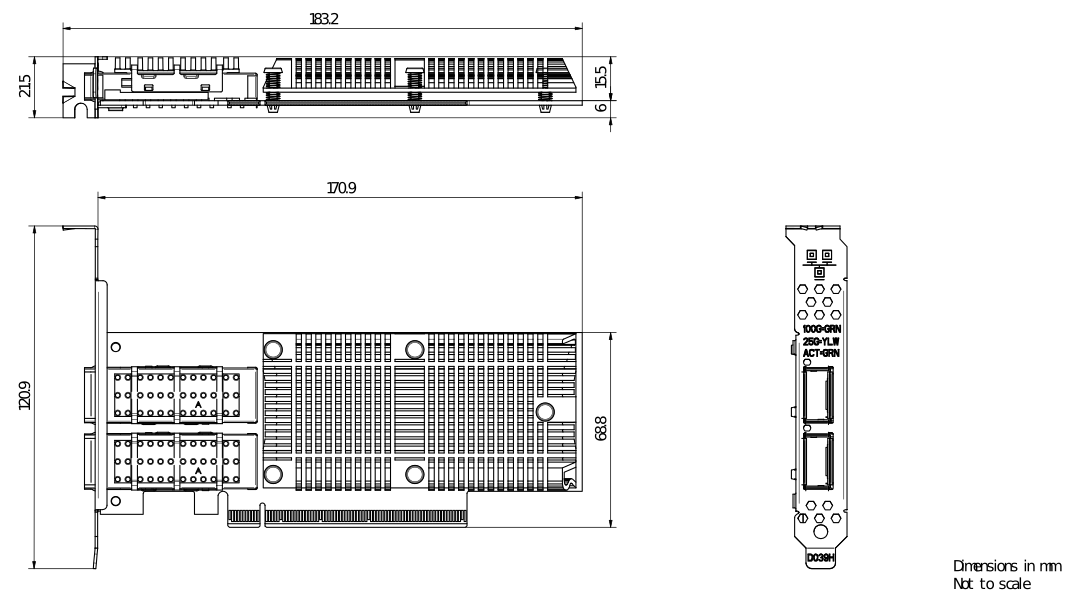
GigE Interface Card Dimensions#
Environmental Requirements#
The Basler GigE Interface Cards are specified for indoor use only.
| Operating Temperature | 0–50 °C (32–122 °F) |
| Storage Temperature | -40–85 °C (-40–185 °F) |
| Humidity | Maximum 90 % relative humidity, non-condensing (specified at 35 °C) |
Allow sufficient air circulation to keep the temperature during operation within the specified range. Additional cooling devices are not normally required, but should be provided if necessary.