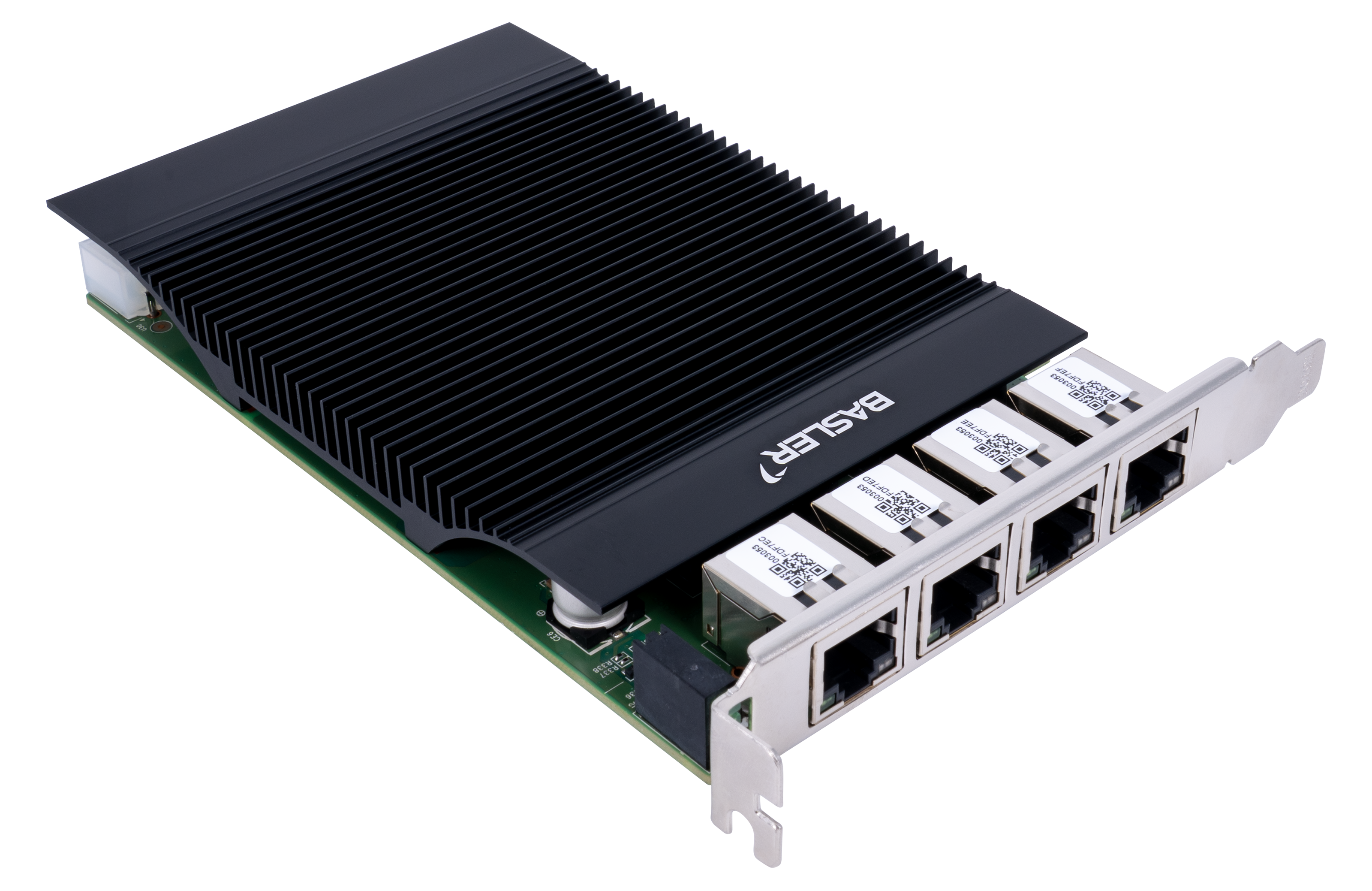
Basler 2.5GigE Interface Card, 4-CH PoE+#
Info
- On Windows, to operate this interface card, you must either install a compatible driver from the Microsoft Driver Store (recommended) or use the correct Intel driver for the Intel I226 Ethernet controller. You can download the driver from the product page of the 2.5GigE Interface Card, 4 Port PoE+, under Specifications / Software. Alternatively, you can also download the latest driver from the Intel website.
- On Linux, the interface card is usually natively supported by the Linux kernel (for example via the igc driver).
Key Features#
- Validated for GigE Vision
- Power over Ethernet+ (PoE+), up to 30 W per port (90 W total for all four ports)
- PoE on/off control via hardware switch
- IEEE 1588 Precision Time Protocol (PTP)
- Autonegotiation (2.5 Gbps, 1 Gbps, 100 Mbps, 10 Mbps)
- Use of Basler-assigned MAC address range for simplified identification
General Specifications#
| 2.5GigE Interface Card, 4-CH PoE+ | |
|---|---|
| Order Number | 2200002428 |
| Ethernet Controller | Intel I226 |
| Number of Ports | 4 |
| Port | RJ45 |
| Data Rate | 2.5 Gbps / 1 Gbps / 100 Mbps / 10 Mbps |
| Additional Low-Profile Bracket | No |
| PCIe Version and Lane | 2.0 x4 |
| Supported Standards | IEEE 802.3 IEEE 802.3u (100BASE-TX Fast Ethernet) IEEE 802.3ab (1000BASE-T Gigabit Ethernet) IEEE 802.3bz (2.5GBASE-T and 5GBASE-T; card operates up to 2.5GBASE-T) IEEE 802.3x (Ethernet flow control) IEEE 802.3at (PoE+) |
| Additional Functions | IEEE 1588 Precision Time Protocol (PTP), UEFI, Wake on LAN (WoL), Jumbo Frame (up to 9.2 kB) |
| Power Supply/PoE+ Input | 12 V DC from the PCIe slot, or 12 V DC from the 4-pin Molex connector |
| PoE+ Output | Up to 30 W per port; up to 90 W total for four ports |
| PoE Control | PoE on/off control by hardware switch |
| Cable Types and Length | Cat5e, Cat6A, or Cat7; distances up to 100 m are supported |
| Electrical Protection | ESD up to 8 kV; surge protection 2 kV |
| Conformity | CE, FCC, RoHS, KC Certificates for your 2.5GigE Interface Card For more information, see the Compliance section of the Basler website. |
| Power Consumption (card electronics) | Max. 9.36 W |
| Maximum Packet Size for Jumbo Frames | Up to 9.2 kB |
Jumbo Frames
If you want to use the maximum packet size for jumbo frames, set the network adapter to its maximum value as described in the Network Configuration (GigE Cameras) topic. Also set the GevSCPSPacketSize parameter to its maximum size. Bear in mind that most Basler ace 2 cameras only support a packet size of up to 8192 bytes.
LED States#
| LED | State at 2.5 Gbps | State at 1 Gbps | State at 100 Mbps/10 Mbps | Meaning |
|---|---|---|---|---|
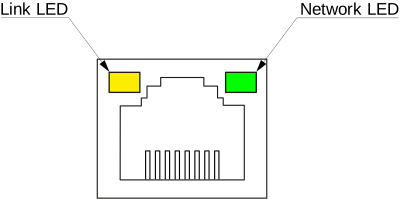
| Link LED | Static green | Static orange | Off | Connection to host established |
| Network LED | Flashing green | Flashing green | Flashing green | Network traffic is active |
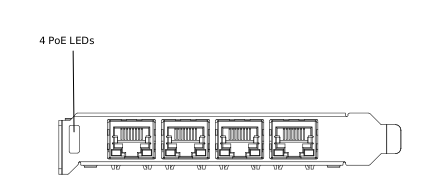
| PoE LEDs | Static green | Static green | Static green | Power supplied to device via PoE |
Link LED and Network LED#
PoE LEDs#
GigE Interface Card Dimensions#
Environmental Requirements#
The Basler GigE Interface Cards are specified for indoor use only.
| Operating Temperature | 0–55 °C (32–131 °F) |
| Storage Temperature | -40–70 °C (-40–158 °F) |
| Humidity | Maximum 90 % relative humidity, non-condensing (specified at 35 °C) |
Allow sufficient air circulation to keep the temperature during operation within the specified range. Additional cooling devices are not normally required, but should be provided if necessary.