Installation (Basler Lights)#
-
For information about connector pin assignments, circuit diagrams, and wiring information for the different light control modes, refer to the topics in the Controlling Basler Lights section:
-
For information about cables used to synchronize a camera and a Basler Light, see the Light Sync Cables topic. If the setup also includes an autofocus lens, see the Vision Sync Cables topic.
Hardware#
Mounting#
All Basler Lights have mounting holes that allow you to securely install the lights in your working environment. For information about which screws are required, refer to the Mechanical Specifications section in the product topic of your light.
Example Exploded View Drawings#
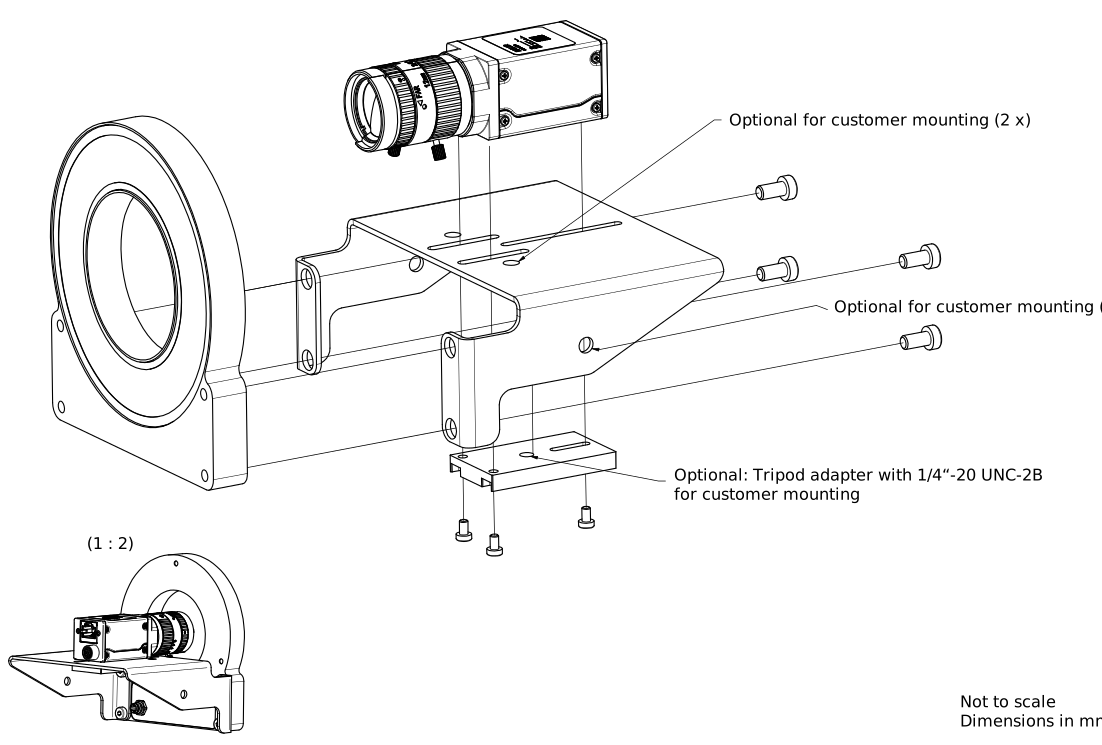
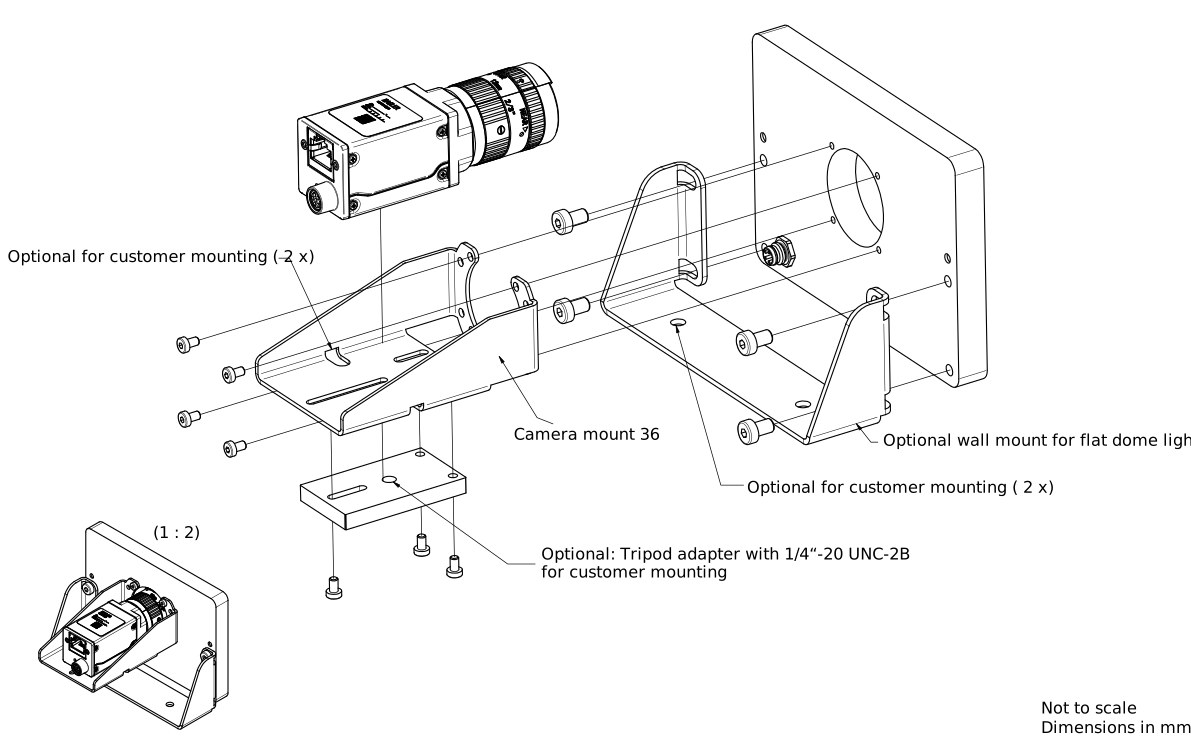
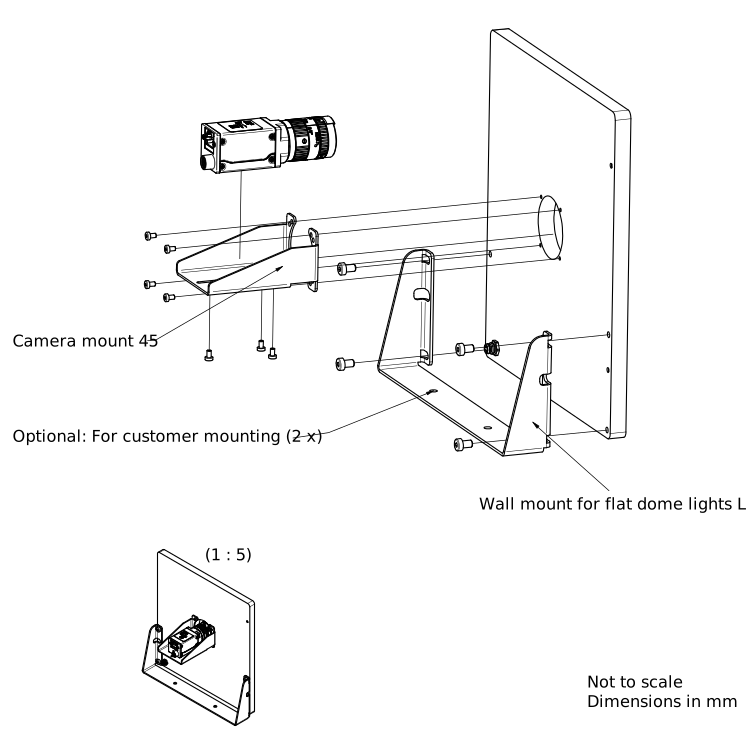
The following example exploded view drawings show how to mount a Basler Ring Light, a Flat Dome Light M, and a Flat Dome Light L with a Basler ace or Basler ace 2 camera.
Basler Ring Light
Basler Flat Dome Light M
Basler Flat Dome Light L
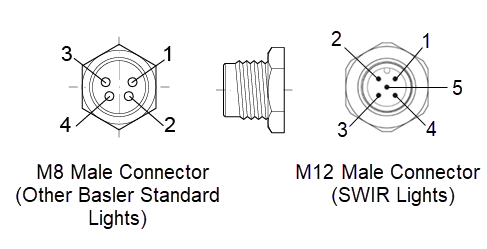
Connector Pin Numbering#
Info
Basler SWIR and Basler UV lights are equipped with an M12 5-pin connector, whereas all other Basler Lights use an M8 4-pin connector. Despite the different connector types, both use the same pin-out for installation.
The following connector models from CONEC are used:
- M12 5-pin connector (Basler SWIR and UV Lights): article no. 43-01013
- M8 4-pin connector (all other Basler Lights): article no. 42-01033
For information about the pin assignment for different uses cases, refer to the topics Operating Basler Lights with Internal Controller or Operating Basler Lights with External Controller.
Basler Lights Before and After Revision 05#
Info
To determine whether a Basler Light has Integrated Light Control (ILC), check the revision number on the light. The last two digits following the order number indicate the revision. In the example 2200000841-05, the revision is 05.
- Revision 05 or later: The light has ILC and an integrated controller.
- Revision below 05: The light doesn't have ILC. It requires an external light controller.
Documentation for Basler Lights without ILC is no longer included in the current Basler Product Documentation. For information about these lights, download the offline documentation of an earlier version by clicking here.
Changes to the Pin Assignment#
Info
Basler Lights with revision 05 or later use a different pin assignment than Basler Lights with a revision below 05.
Adjust the pin assignment when both of the following are true:
- You replace a Basler Light with a revision below 05 with a Basler Light with revision 05 or later.
- You operate the light with an external light controller, such as the Basler SLP Strobe Controller or a third-party controller.
Verify that you are using the correct pin assignment when connecting a light. If you keep the original pin assignment, the new light doesn't turn on.
For information about the pin assignment, see Operating Basler Lights with Internal Controller or Operating Basler Lights with External Controller.
To find the right light for your application, visit the Basler website.
Further Information#
- For information about preparing your Basler Light, once you've installed it, see the Peripheral Devices Control topic.
- For information about the different light accessories, see the Basler website.