Reference Design: Mounting Stereo mini USB Cameras#
Mounting Reference Solution for STM-501u and STM-502u#
Product Components#
| STM-501u | STM-502u |
|---|---|
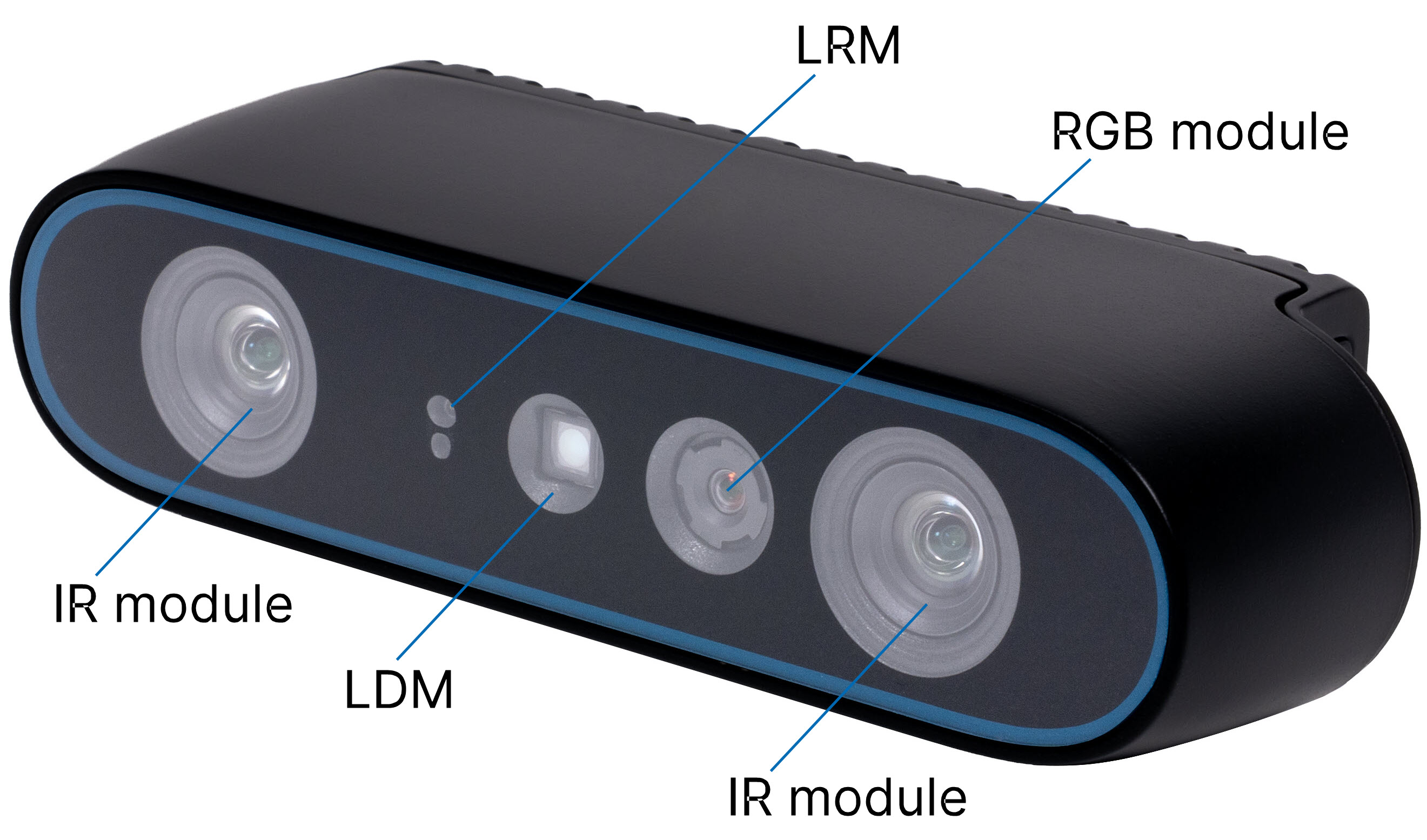 | 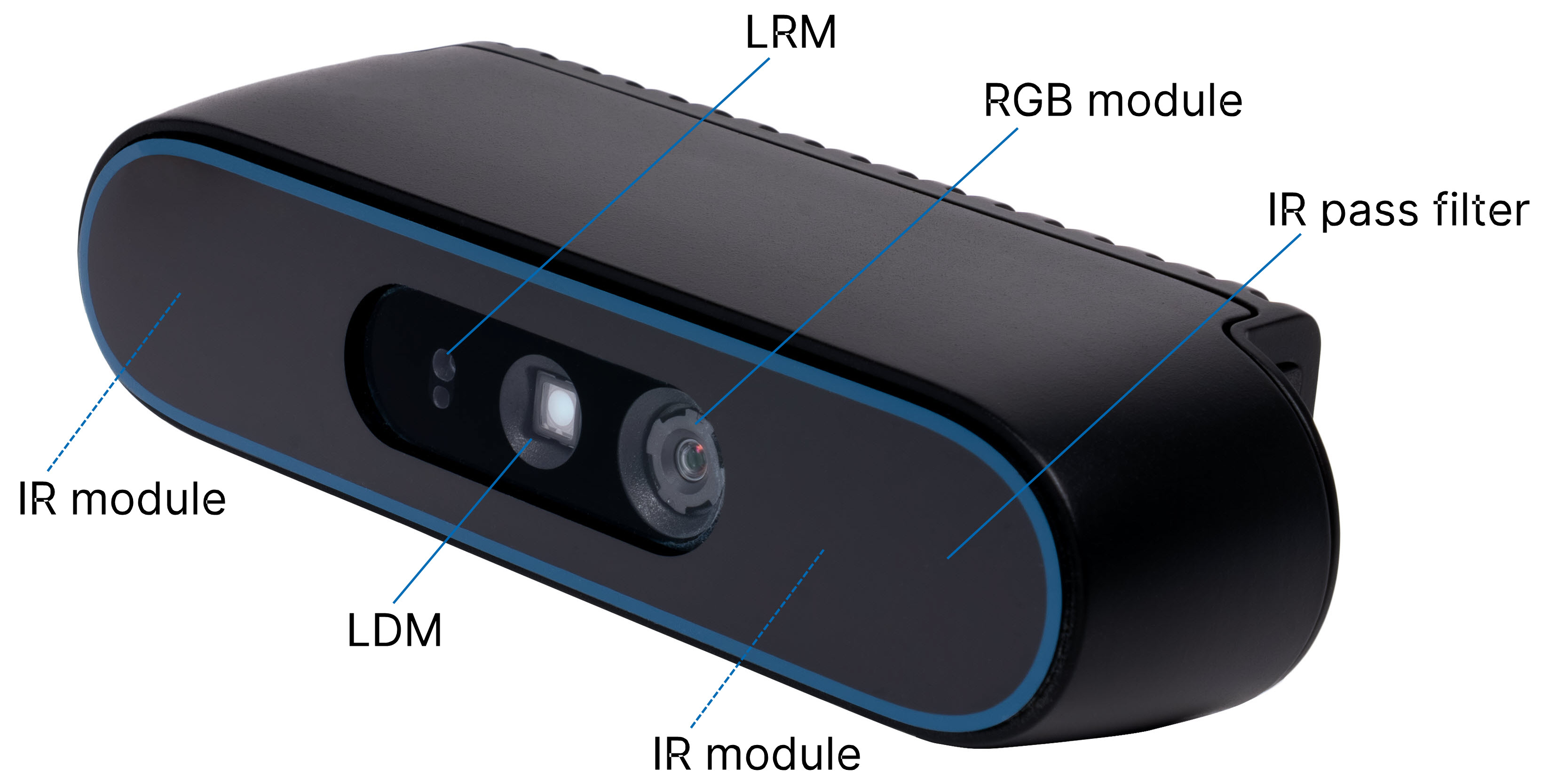 |
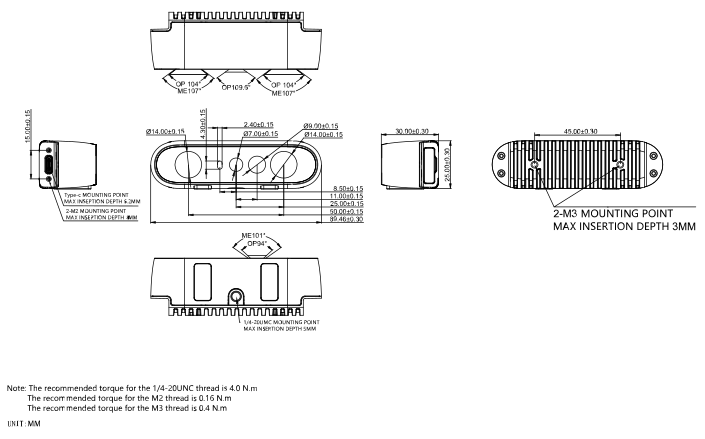
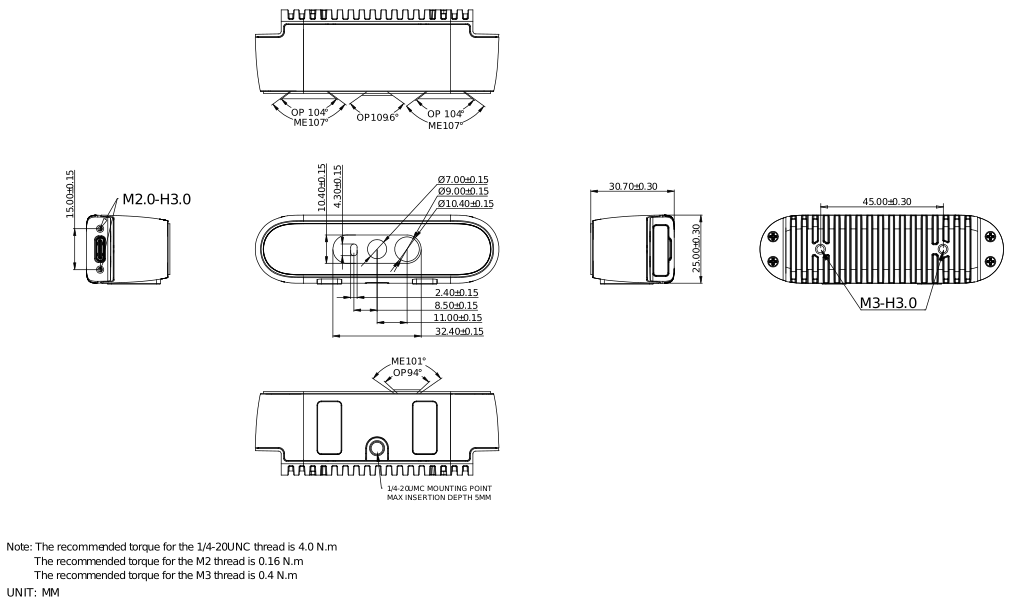
Product Drawing#
- STM-501u
- STM-502u
Product Interfaces#
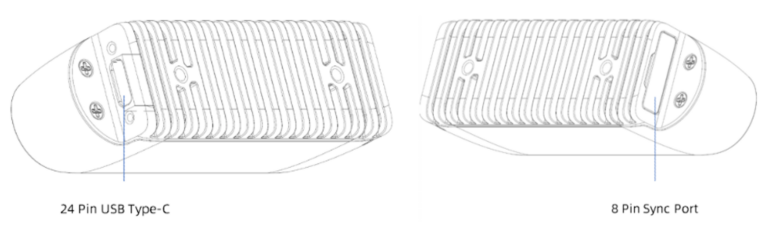
24-Pin USB Type-C Interface#
- The 24-pin USB Type-C interface is at the left of the camera. The depth of Type-C Female is specified as 6.0 ±0.2 mm. Pay attention to the dimension of Type-C plug to avoid interference and secure adequate contact during the insertion of the Type-C plug.
- The metal exposed section's length of Type-C plug:
- Length of 6.0 ±0.2 mm is suggested for Type-C plug with screw
- Length of 6.2 ±0.2 mm is recommended for Type-C plug without screw
8-Pin Sync Port#
The 8-pin sync port is on the right side of the camera. Rotate the sync port cover to see the sync port.
Mounting and Fixing Method#
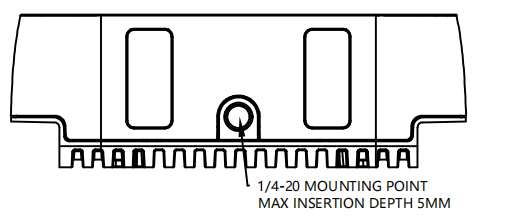
- Option A: Fix the camera using the 1/4-20 UNC thread hole. The hole depth is 5 mm and recommended torque is 4.0 Nm.
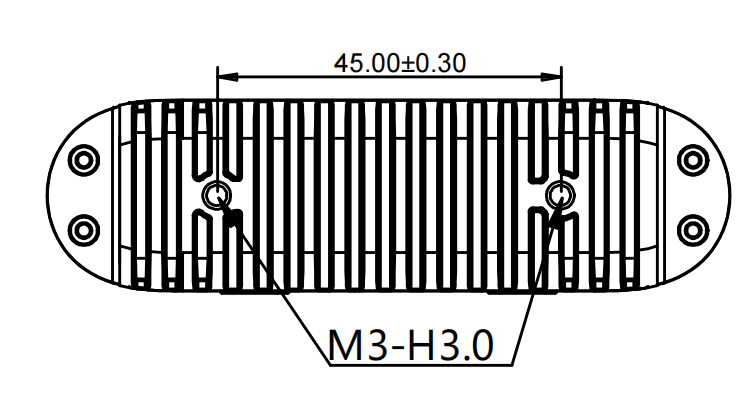
- Option B: Fix the camera using two M3 thread holes on the rear of the camera. The hole depth is 3.0 mm and recommended is 0.4 Nm.
- Option C: Fix the camera using the shape or edges of the metal housing.
- 1/4-20 UNC threaded hole or other areas on metal parts of module must be utilized for grounding purposes.
- After the module is assembled to the whole machine, the FOV viewing angle must be free.
Mounting Reference Solution for STM-951u and STM-952u#
Product Components#
| STM-951u | STM-952u |
|---|---|
 | 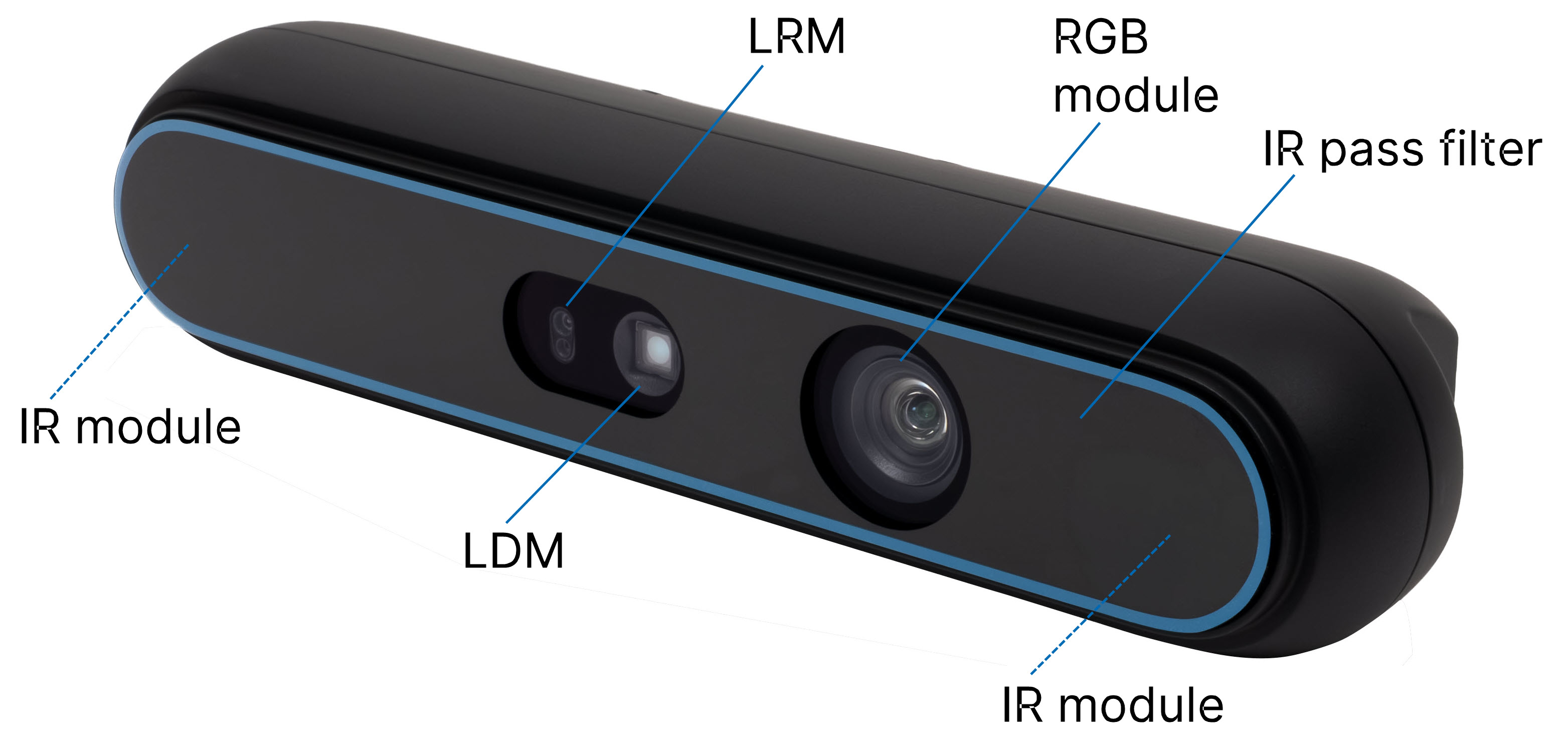 |
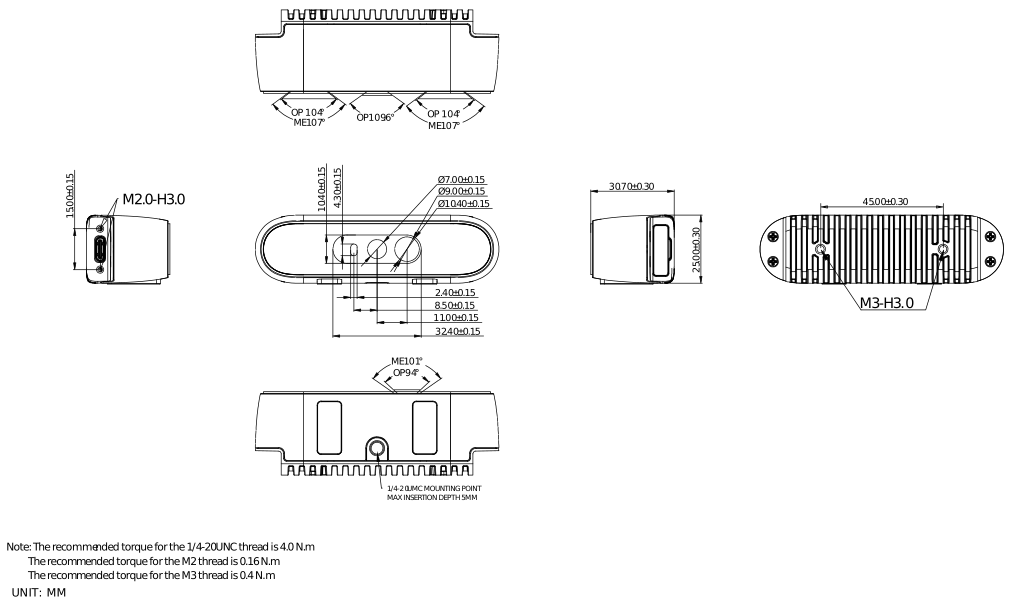
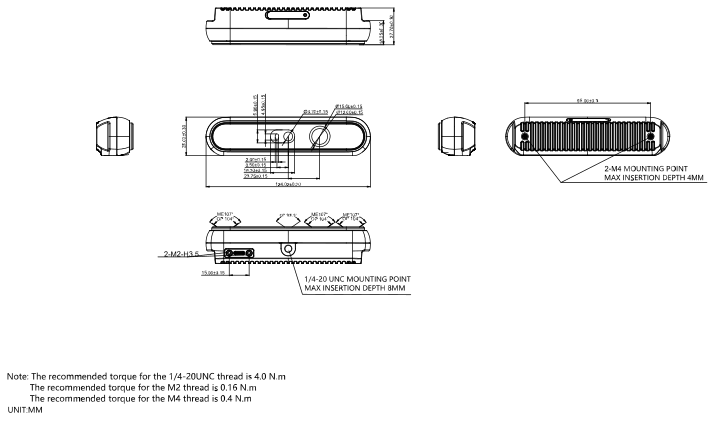
Product Drawing#
- STM-951u
- STM-952u
Product Interfaces#
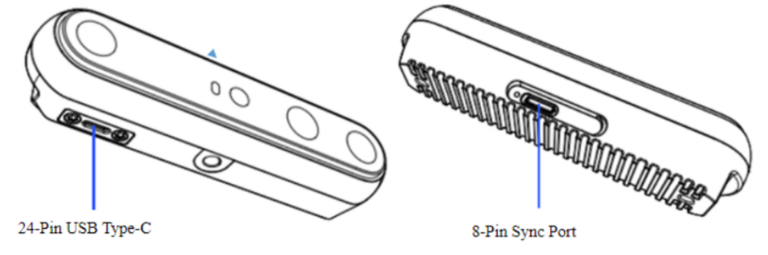
24-Pin USB Type-C Interface#
- The 24-pin USB Type-C interface is at the bottom of the camera. The depth of Type-C Female is specified as 6.0 ±0.2 mm. Pay attention to the dimension of Type-C plug to avoid interference and secure adequate contact during the insertion of the Type-C plug.
- The metal exposed section's length of Type-C plug:
- Length of 6.0 ±0.2 mm is suggested for Type-C plug with screw
- Length of 6.2 ±0.2 mm is recommended for Type-C plug without screw
8-Pin Sync Port#
The 8-pin sync port is on the top side of the camera. Remove the sync port protective cover to see the sync port.
Mounting and Fixing Method#
- Option A: Fix the camera using two M4 thread hole on the rear side. The hole depth is 3.0 mm and recommended torque is 4.0 Nm.
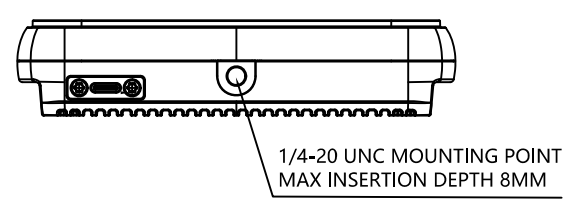
- Option B: Fix the camera using two M3 thread holes on the rear of the camera. The hole depth is 3.0 mm and recommended is 0.4 Nm.
- Option C: Fix the camera using the shape or edges of the metal housing.
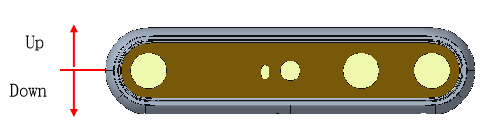
- 1/4-20 UNC threaded hole or other areas on metal parts of module must be utilized for grounding purposes.
- After the module is assembled to the whole machine, the FOV viewing angle must be free.
System Design Requirements#
- Sealing requirements
- Use foam padding or silicone seals between the 3D camera and your device to prevent dust entry.
- Lens requirements
- No additional lenses or covers can be added to the front of the 3D camera.
- Cooling requirements
- Connect the camera to external metal components using thermal conductive materials to expand the cooling area. It's recommended to incorporate active cooling with fans.
- The cameras must not be heated by other heat sources.