Region Inverter vTool#
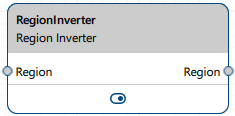
All areas outside the input region are turned into the output region. This means that selected areas become unselected and unselected areas become selected. As a result, the output region includes all pixels that are not part of the input region.
Download the pylon Software Suite to use the Region Inverter vTool.
How It Works#
The vTool provides several options for specifying the inversion mask size. This mask determines which part of the input region is inverted and subsequently output:
- Input Region: The inversion is applied to the entire input region. If a region doesn't have a size defined, the vTool outputs a region with an error.
- Custom: This allows you to manually specify the mask size using the Width and Height parameters.
- Auto: The inversion mask size is determined automatically. If the input region has a defined size, inversion is applied to the entire input region. If no size information is available, the inversion mask size specified by the Width and Height parameters is used. This is the default option.
Configuring the vTool#
To configure the Region Inverter vTool, double-click it in the Workbench. A dialog opens showing all the available settings. Alternatively, you can find the same settings in the Features - All pane.
Inputs#
Region#
Accepts a region from all vTools that produce a region as an output, e.g., Thresholding vTools or Matching vTools.
- Data type: Region
Outputs#
Region#
Returns the inverted region. The output region can be used by any vTool accepting regions as input.
- Data type: Region